Space Glass
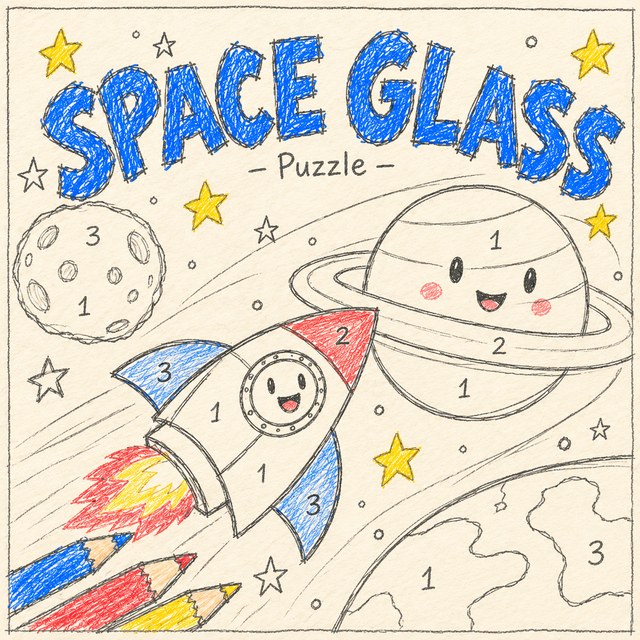
A relaxing color-by-number puzzle on a sheet of grid paper. Each level is a detailed pixel picture from outer space, like a rocket, an astronaut, a UFO, a ringed planet or a galaxy. Pick a numbered color, then tap or drag across the matching squares and zoom in for the small details.
- Puzzle
- Tap or drag
- 15 space pictures
- Saves your progress
How to play
- Pick a coloured pencil from the tray at the bottom. Every square with its number lights up on the picture.
- Tap a lit square to color it in, or hold and drag across several at once. Zoom in with + or a pinch for small squares.
- When a color is finished it gets a check mark and the next color is picked for you.
- Fill every square to finish the picture and move on to the next level.
Controls
- Tap or click a square to fill it. Hold and drag to fill a whole row in one go.
- Tap a color in the tray to switch, or press 1 to 9 on a keyboard.
- The magnifier points out a square you missed, and the Sound button turns sound effects on or off.
Tips
- Dragging is the fastest way to fill big areas. Squares of other colors are skipped, so you can sweep right over them.
- The small number on each color shows how many squares are left.
- Tap a square with a different number and the game shows you which color it needs.
- Finished pictures are saved in the Pictures collection on the start screen.
About Space Glass
Space Glass is a colour-by-number puzzle on grid paper. Every level is a detailed pixel picture from outer space, a rocket, an astronaut, a UFO, a ringed planet, a galaxy, and you fill it in by picking a numbered colour and tapping or dragging across the matching squares, zooming in for the small details.
It is one of the calmest games on the site and a favourite for anyone who likes to wind down. Dragging skips squares of other colours, so big areas go fast, and finished pictures stay in your collection on your device so you can look back at them.